Choosing between SVG plotter craft files often comes down to which vector formats your cutter or CNC software can open. Both of these DXF-ready files are new digital listings, but they're built for different users: one is a decorative sunflower panel with a defined border and size reference, the other is a numbered CNC model with a broader format set. Your decision depends on whether you need Photoshop-friendly EPS, CAD-friendly DWG or CDR, and whether you want a design with a ready-to-use canvas or a file you'll scale to your own material.
Quick verdict
If your project is a decorative panel and you want a file that works with hobby cutters as well as CNC machines, the Cross Panel Sunflower DXF is the easier call. If your workshop is CAD-oriented and you want broader format coverage for router and laser work, the AI DXF CNC file 019 is the better match.
Comparison at a glance
| Product | Listed price | Price bar |
|---|---|---|
| Cross Panel Sunflower DXF | USD 2.50 | |
| AI DXF Plasma Laser Router Plotter Cut Vector CNC file 019 | USD 7.00 |
Where each product wins
For a decorative, ready-to-resize design: the Cross Panel Sunflower DXF brings a 12x15 canvas, a .875-inch border, and use-case ideas like metal wall art, signs, wall decor, posters, window stickers, t-shirts, and cards. If you want a panel that can frame itself with a border, this listing gives you that reference. It's also the lower-priced listing.
For CAD-driven CNC work: the AI DXF CNC file 019 is the higher-priced listing, but it focuses on a straightforward numbered cut model that matches the product image. If you mainly cut functional parts on a CNC router or laser, this numbered model keeps the focus on the shape to cut.
Product notes
Cross Panel Sunflower DXF
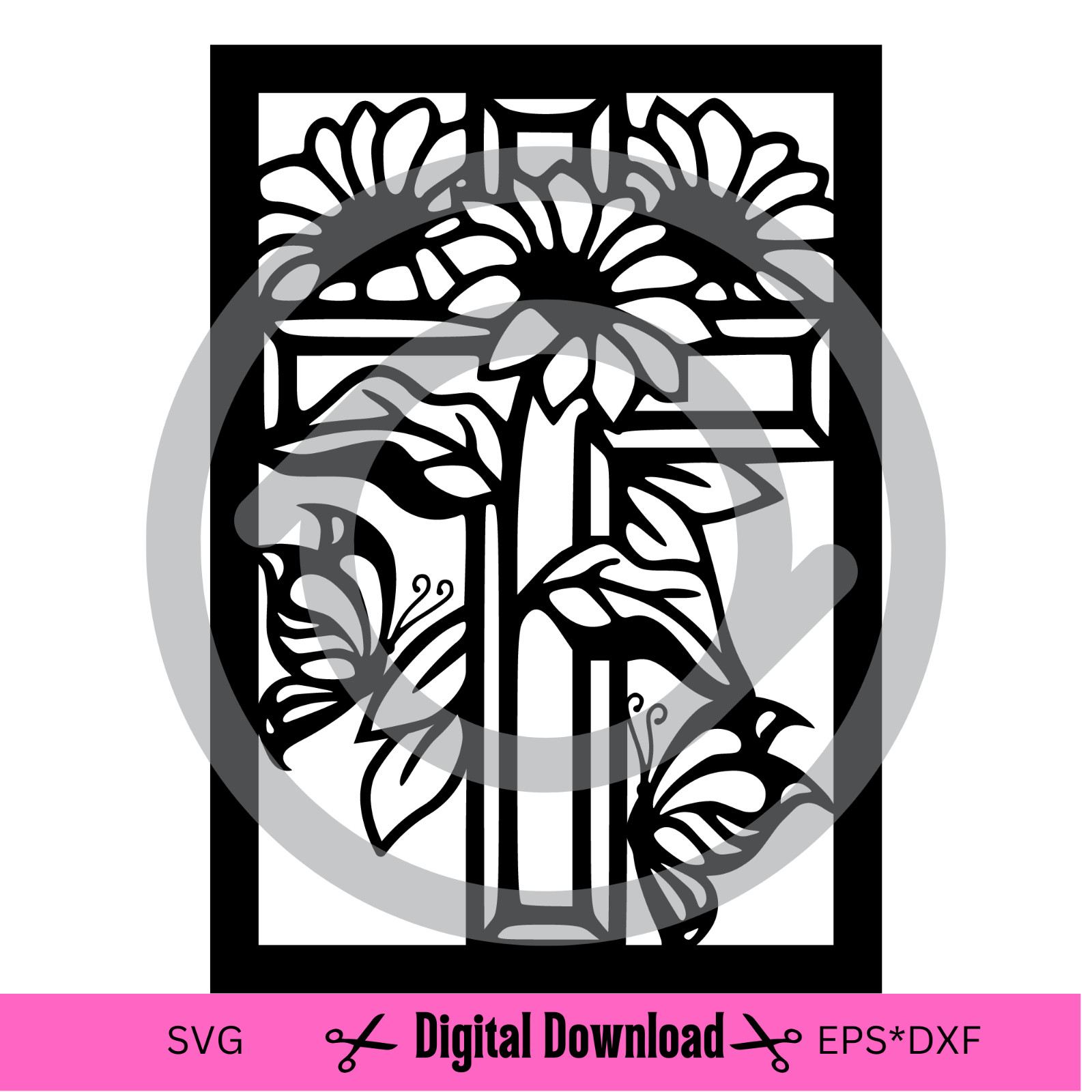
The lower-priced listing in this comparison, the Cross Panel Sunflower DXF is the one to grab if you want a decorative floral panel with a defined border. The listing gives you a 12x15 design that can be resized up, with a .875-inch border, and it calls out the option to create metal wall art, signs, wall decor, posters, window stickers, t-shirts, and cards. You get SVG, EPS, and DXF files, so it works with Silhouette Studio, Cricut Design Space, Adobe Illustrator, Inkscape, as well as plasma, waterjet, laser, and router machines. The main caveat: sizing the design down too far can thin the lines, so keep that in mind if you plan to shrink it. If you need a file that moves easily from a craft cutter to a CNC table, the format trio in this listing covers that range.
AI DXF CNC File 019
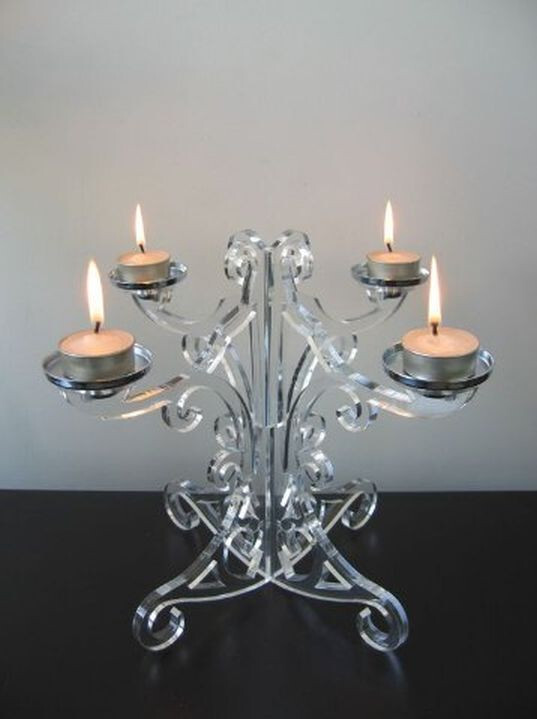
The higher-priced listing, the AI DXF CNC file 019, gives you a broader set of CAD-oriented formats: DXF, DWG, SVG, AI, and CDR. That makes it a convenient single download if you move between AutoCAD, CorelDRAW, and Adobe Illustrator. The listing describes a CNC model for router, laser, and other CNC cutting machines, and the product picture shows the cut result. If you want a simple numbered file and don't need a decorative panel, the extra format coverage is the main reason to pay more. The trade-off is the higher price and that it's a cut model rather than a decorative panel layout, so the design's visual interest comes from the product image itself.
Final choice by use case
Choose the Cross Panel Sunflower DXF when you want a decorative floral panel, need an EPS file for Photoshop, and prefer the lower listed price. Choose the AI DXF CNC file 019 when your priority is CAD-oriented file compatibility for router, laser, or other CNC machines and you're fine paying the higher listed price.
